
Record and finish a workout
Keep a useful record of your completed sets and sessions.
In this article
Open your session
Open the workout you want to follow from your plan or workout list. Review the exercises and start the session when you are ready. Open an exercise to see its details.
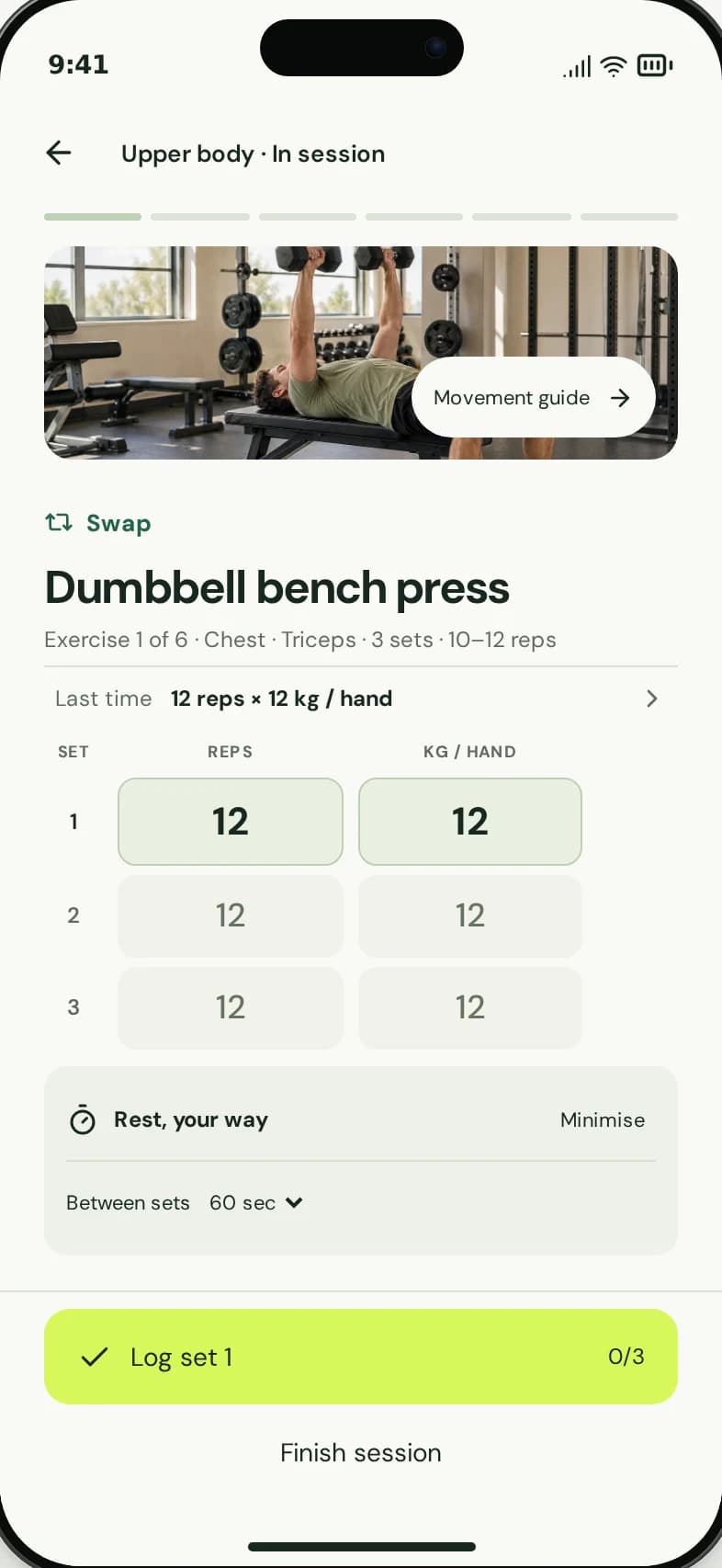
Exercise and set logging in the member experience.
1
Record the sets you actually complete.
2
Finish the session to complete its record.
Record what you do
- After each set, enter the reps and weight where relevant to the exercise.
- Record the completed set before moving on.
- Use previous logged values as a reference, not a requirement to repeat the same performance.
- Continue through the session, recording the work you actually complete.
Finish and check the session
Use the workout’s finish action when the session is over and complete any feedback the app requests. Check the session summary and training history to see the record.
Leaving a workout open is different from finishing it. If the session does not appear as expected, check your connection and whether the finish action completed before starting a duplicate session.
When your workout changes
Record the work you did rather than filling in sets you skipped. If you need a different exercise, use the replacement flow and note that it can also change future sessions of that workout.
How to change an exercise