
Change an exercise
Choose a replacement before or during a workout.
In this article
Choose the replacement
You can select a replacement from the exercise library before a workout or while a session is active. Choose an exercise you can perform with the equipment available to you.
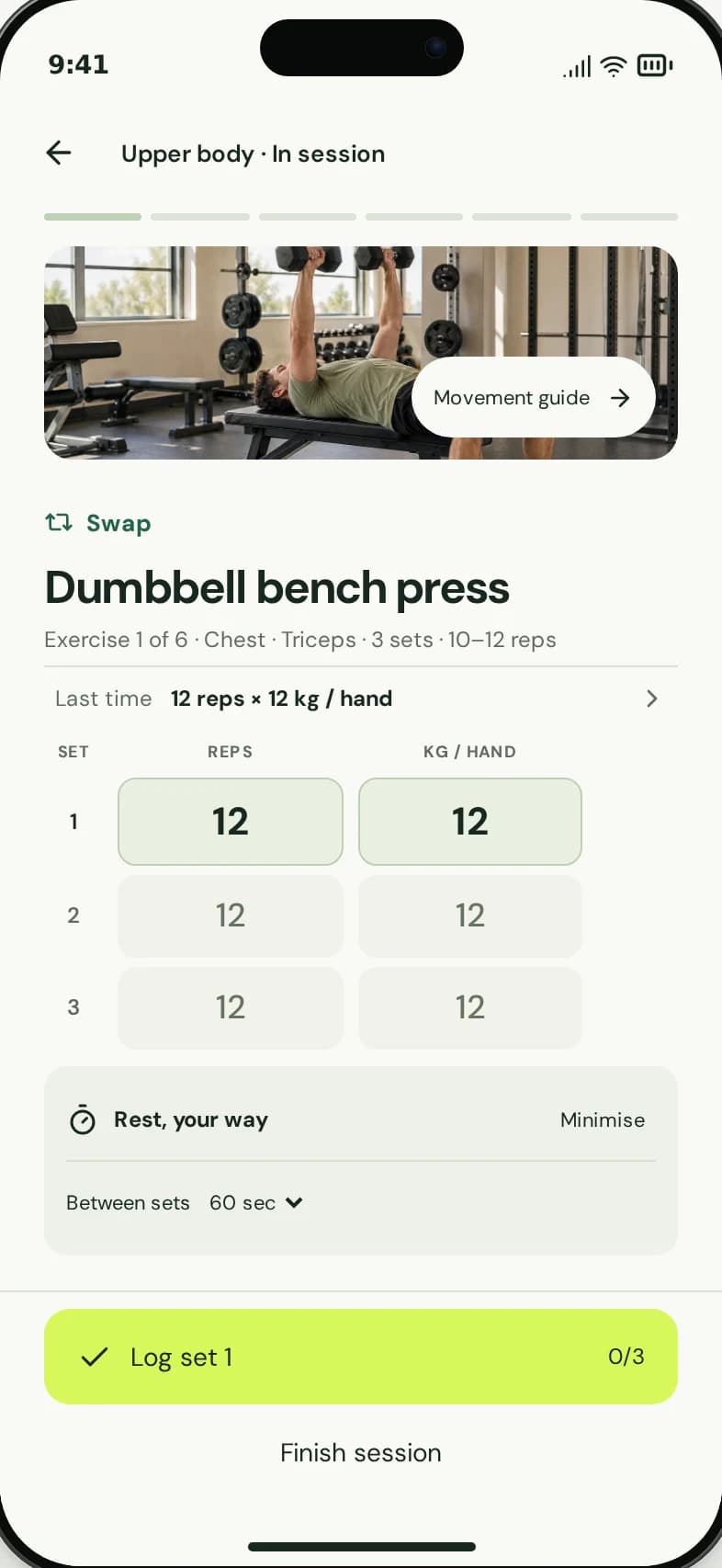
Start from the exercise you want to change.
1
Use the exercise’s swap action.
2
A replacement can also change future sessions.
- Open the exercise you want to replace and use its swap action.
- Search or browse the exercise picker.
- Select the replacement exercise.
- Wait for the change to finish, then check the updated workout.
Understand what changes
The current mobile swap flow updates the underlying workout as well as the active exercise when swapping during a session. That means the replacement can appear in future sessions of the same workout.
This is a choice you make. speclo does not automatically detect a busy machine and swap the exercise for you. If you are unsure about a suitable alternative, ask qualified gym staff.
A swap is not limited to the current session in the current flow.
If the swap fails
Check your connection and retry after the error. Look at the workout before repeating the action so you know whether the change has already been saved. Contact support if the exercise still will not change.
Contact support